
Desk.
Less rebuilding.
More time for your people.
Give your HR team a head start on the materials employees need. Benny helps turn approved sources into guides, summaries, comparisons, and translated drafts. Your team reviews and approves.
Your professional workspace
A clearer summary.
A useful guide.
A head start.
From your approved information to a draft your team can shape.
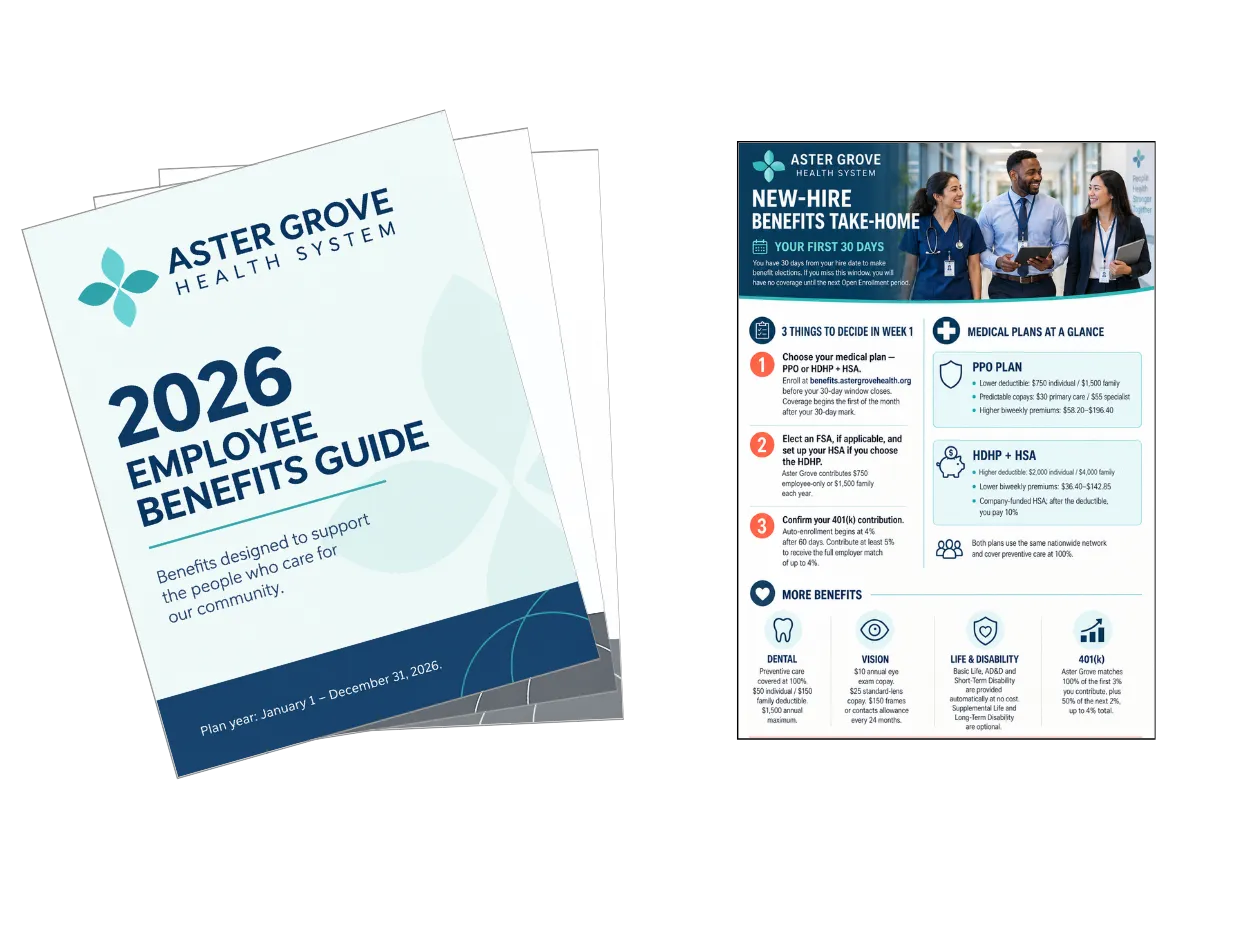
01 · Condense
From a long guide
to the essentials.
Give employees a concise take-home summary they can return to. Start with the full source, then review the details that make the summary useful.
Illustrative document examples.
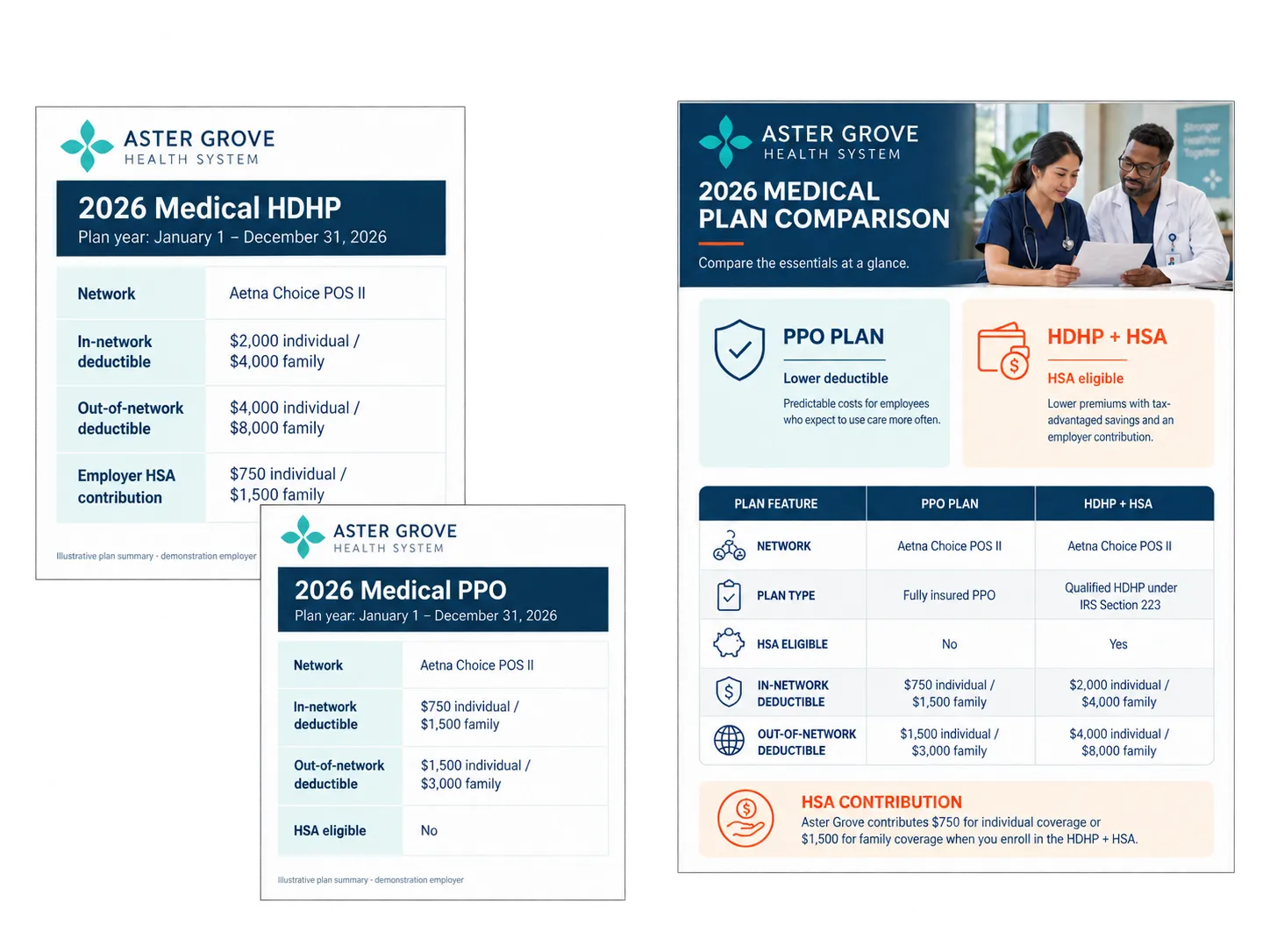
02 · Compare
Bring the differences
into focus.
Compare plan details and benefits proposals side by side. Review current policy documents against proposed new policies. Store benefits vendor contracts and compare their terms. Follow the sources, identify what changed, and decide what needs a closer look.
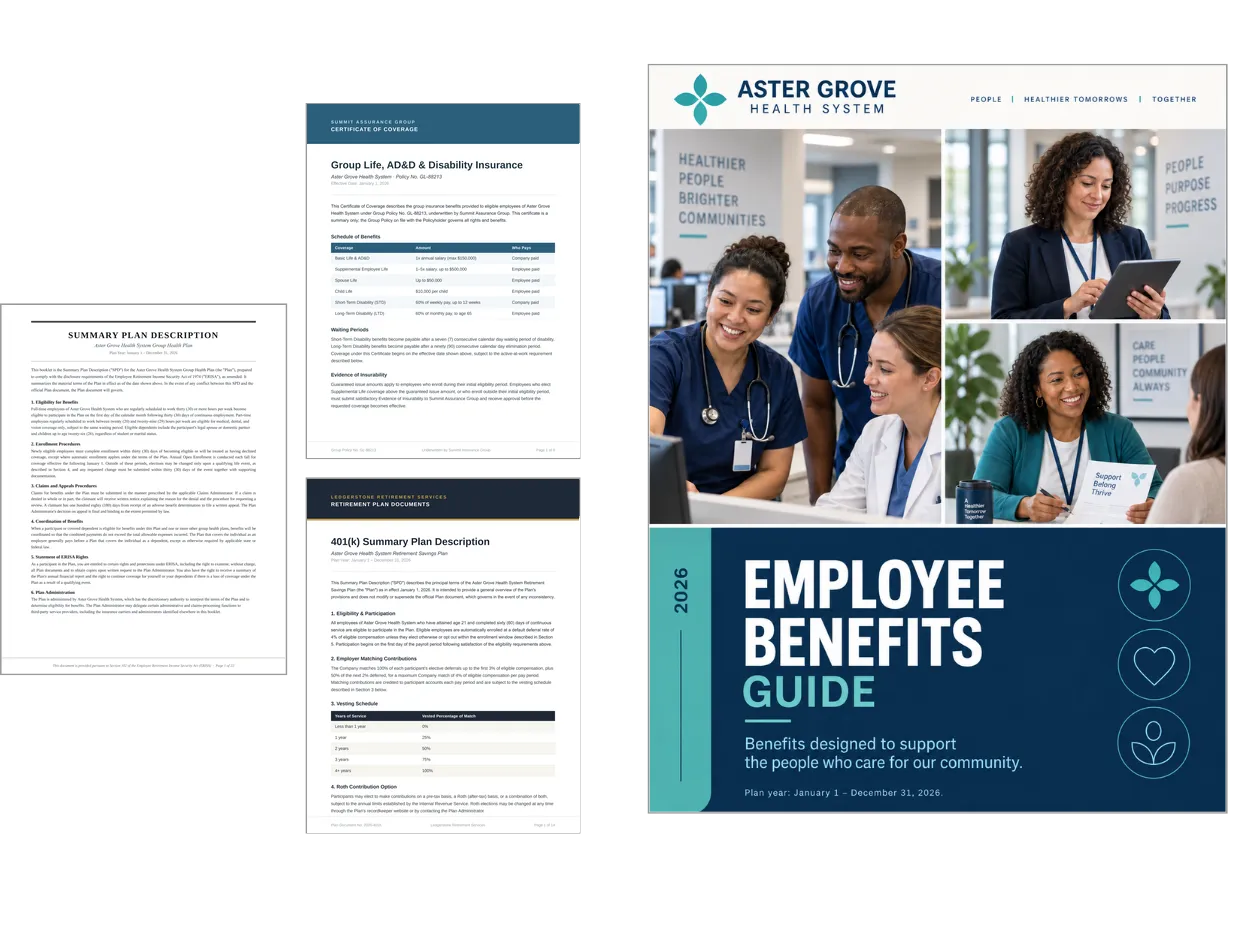
03 · Compile
Several sources.
One useful guide.
Bring carrier materials and plan documents into a branded guide, ready for your team to refine and approve.
04 · Convert & compose
Another language.
Your next communication.
Adapt an existing document or prepare a translated draft. Create enrollment emails, Site content, and manager talking points from the same sources.
Translations need qualified review of the language and benefits terms.
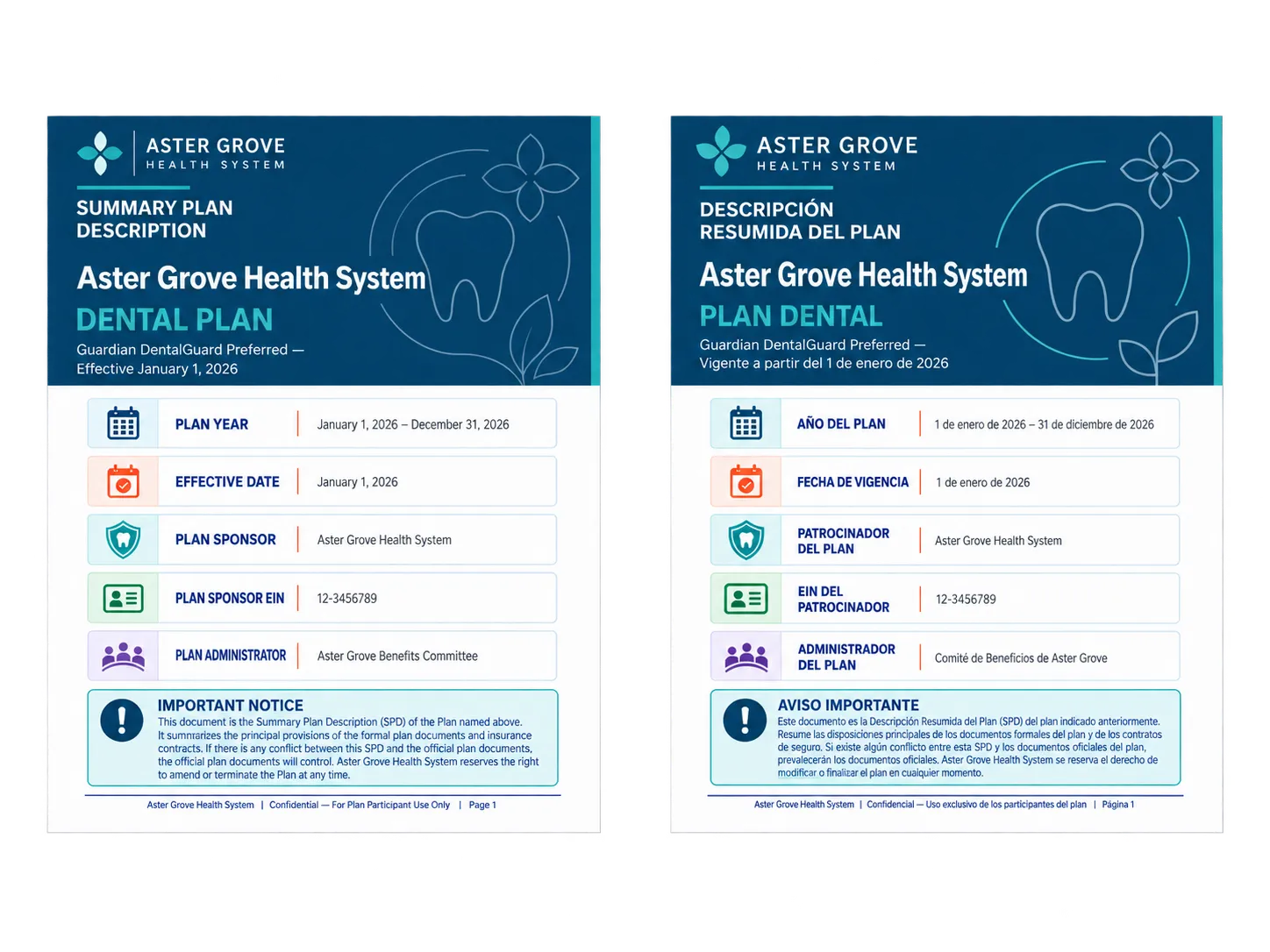
Source/output examples are illustrative. Aster Grove is a demonstration employer. Your team reviews every output against the approved sources before sharing.
A useful start, with people beside you
Your first documents.
Made together.
Work with a SwellSpace expert on your first guide, summary, or comparison. Set up branded templates and save familiar steps as reusable skills.
Update the sources and use the workflow again for enrollment, new hires, and the communications that come next.
Meet your SwellSpace expert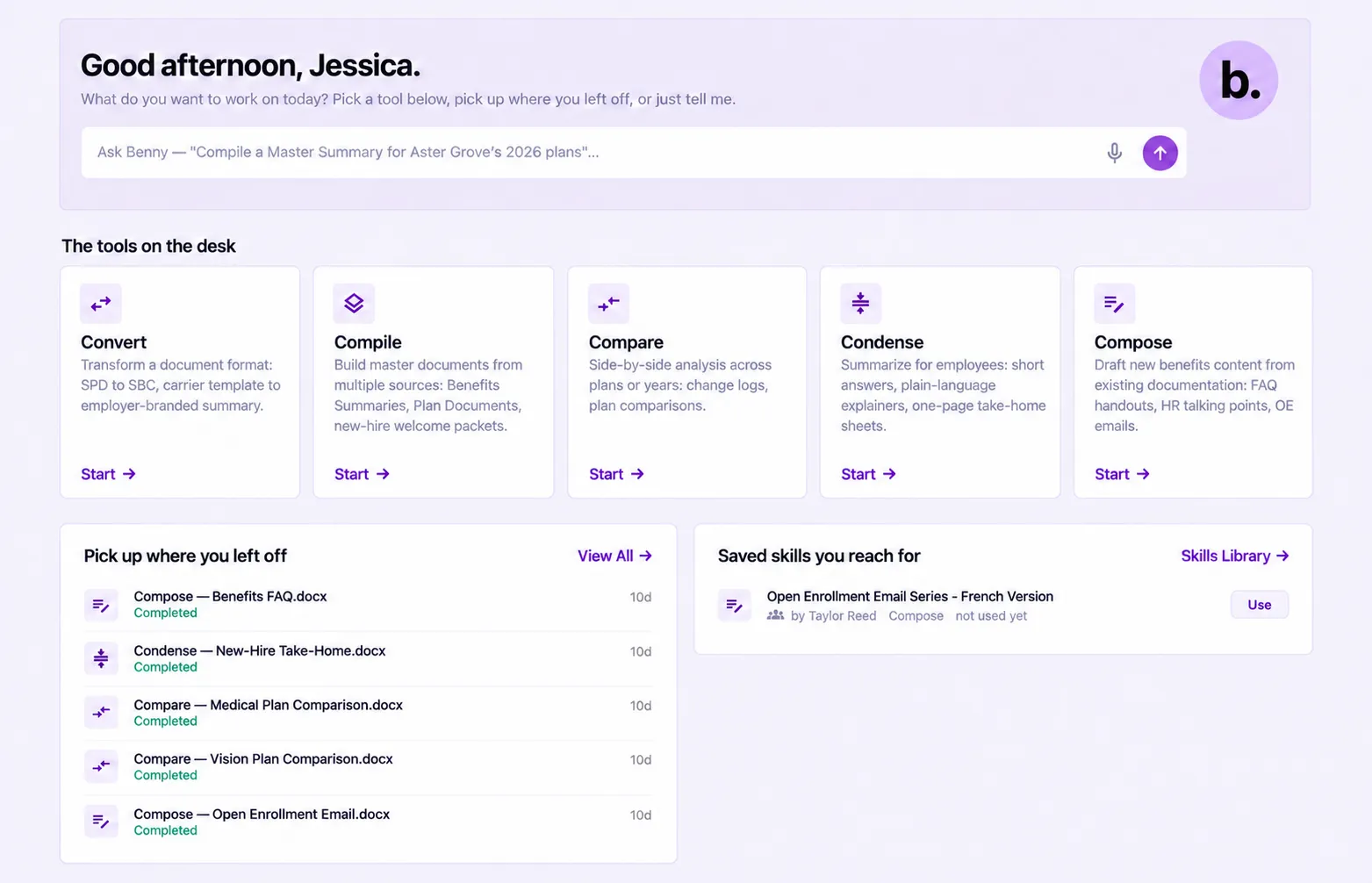
Customer voices
Clarke & Company Benefits on the SwellSpace setup experience for a client’s benefits Site.
“The setup process was smooth, the platform is intuitive and user-friendly, and we launched just in time for employees to make informed choices.”
People stay in charge
Start with sources.
Finish with judgment.
Choose the work.
Select the source materials and describe what you need to create or understand.
Review and refine.
Check the details, follow the sources, and use your expertise to shape the result.
Approve and share.
Your team approves the document before sharing it or publishing it to a Site.
Your Benefits. Give them a Voice.
Bring us the work on your desk.
A guide, a comparison, or your next communication.
Book a demo