
Shape the content people see.
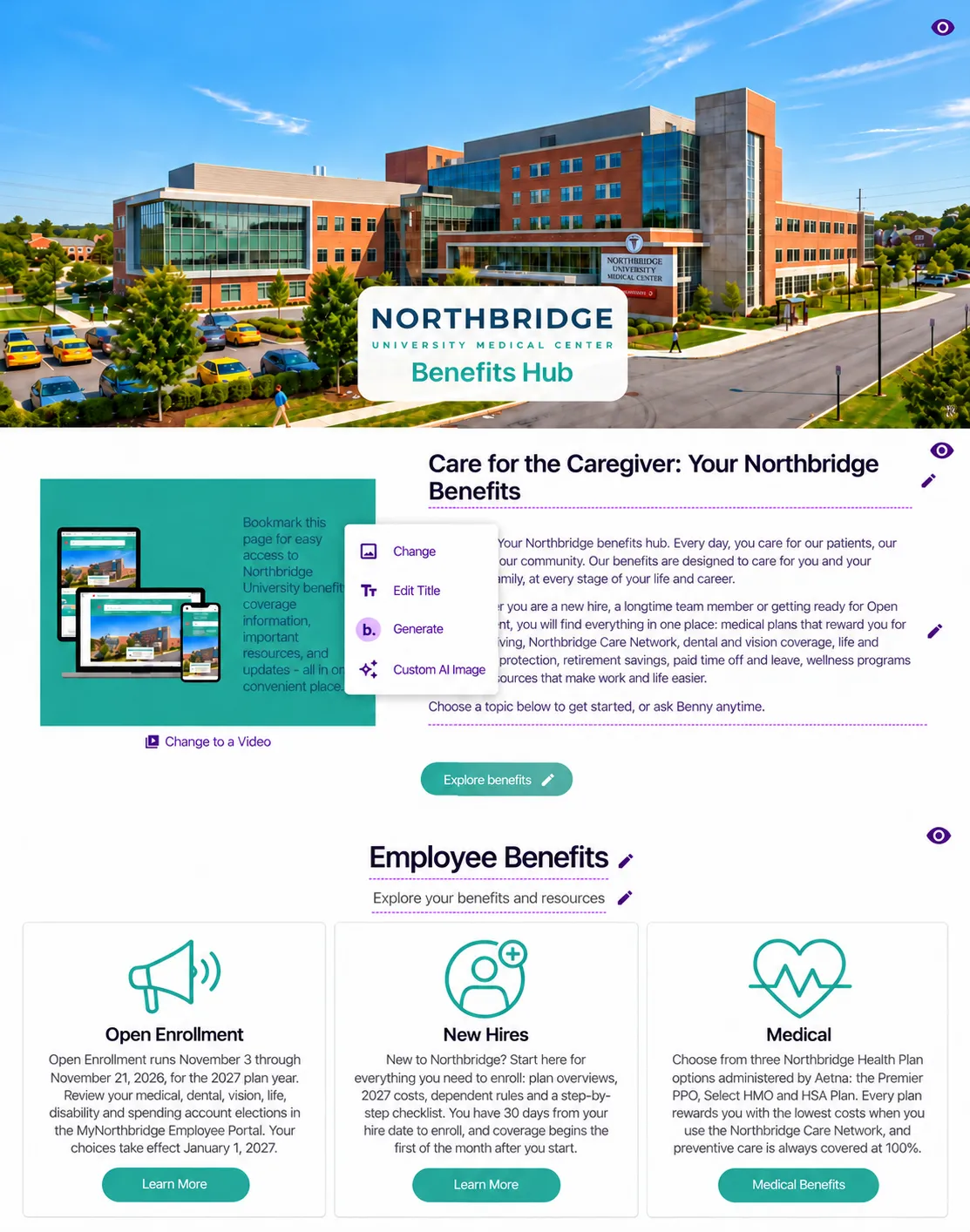
Sites · For administrators
Your Site is useful on launch day. Give your HR and benefits team the tools to keep it useful as information changes.
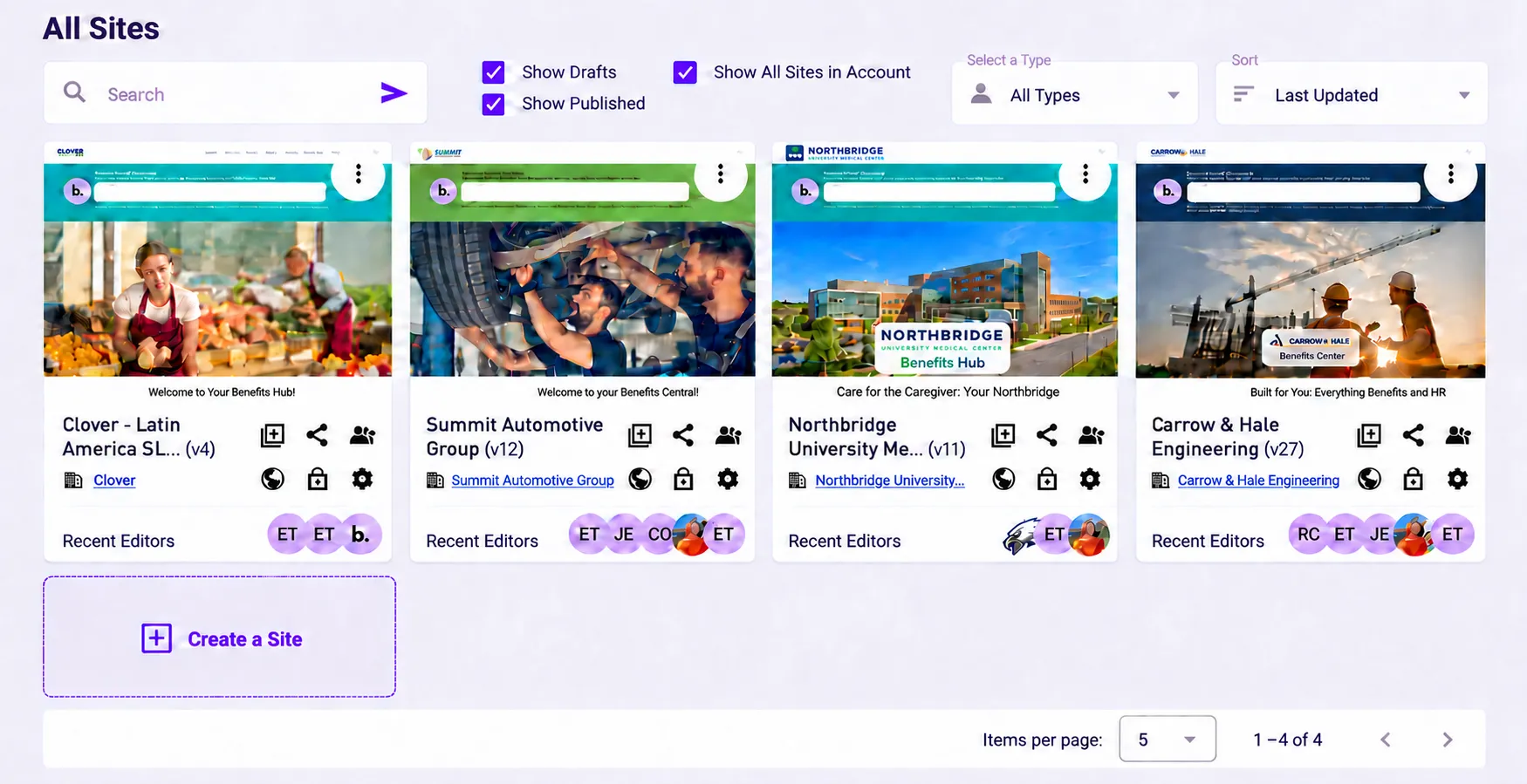
01 · Start in your workspace
Find the Site you need. See drafts and published Sites, sort by the latest update, and see recent editors in one place.
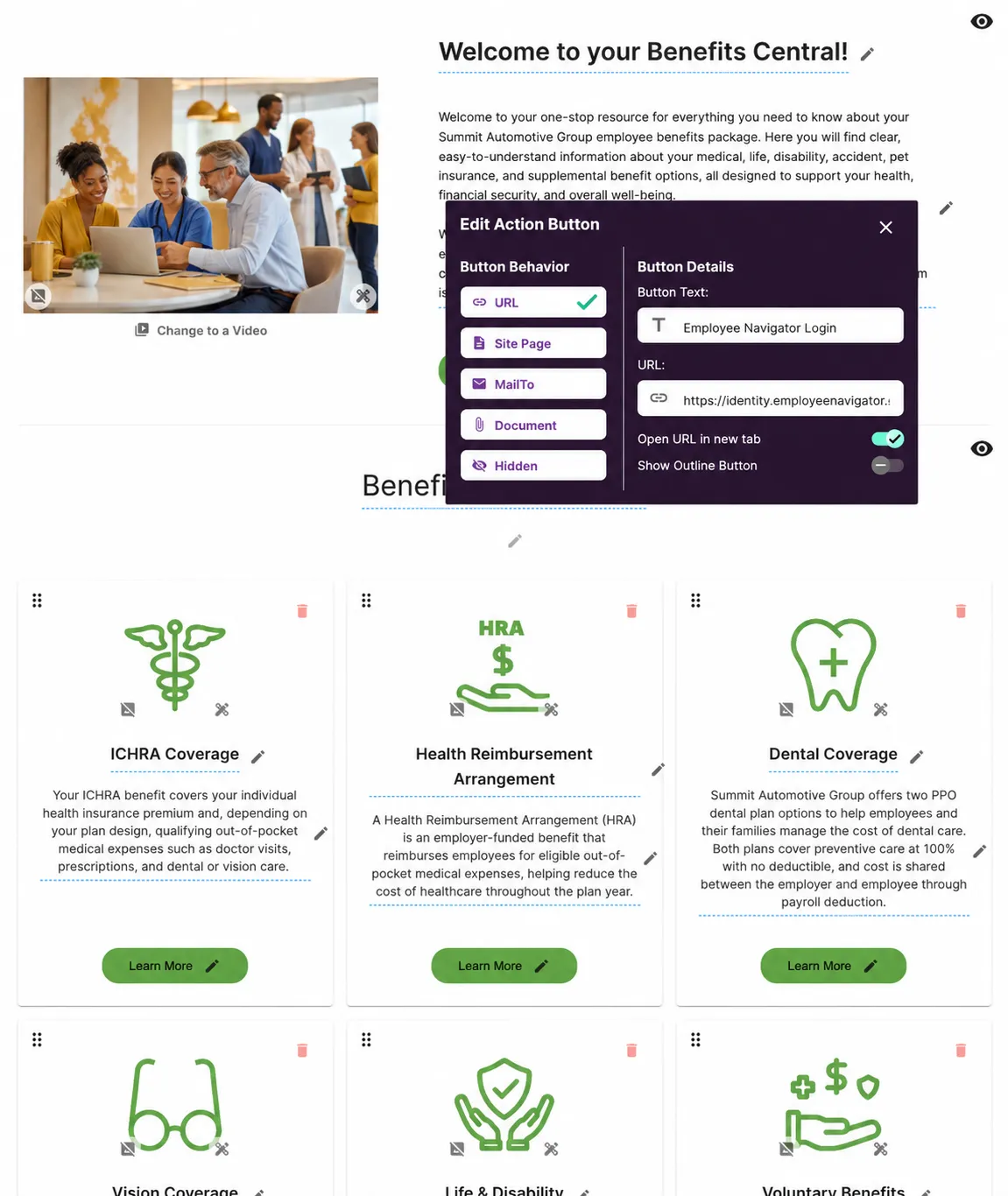
02 · Make the everyday update
Edit the content where it appears on your Site. Update an image or title, and choose where a button takes people: a URL, Site page, email address, or document.
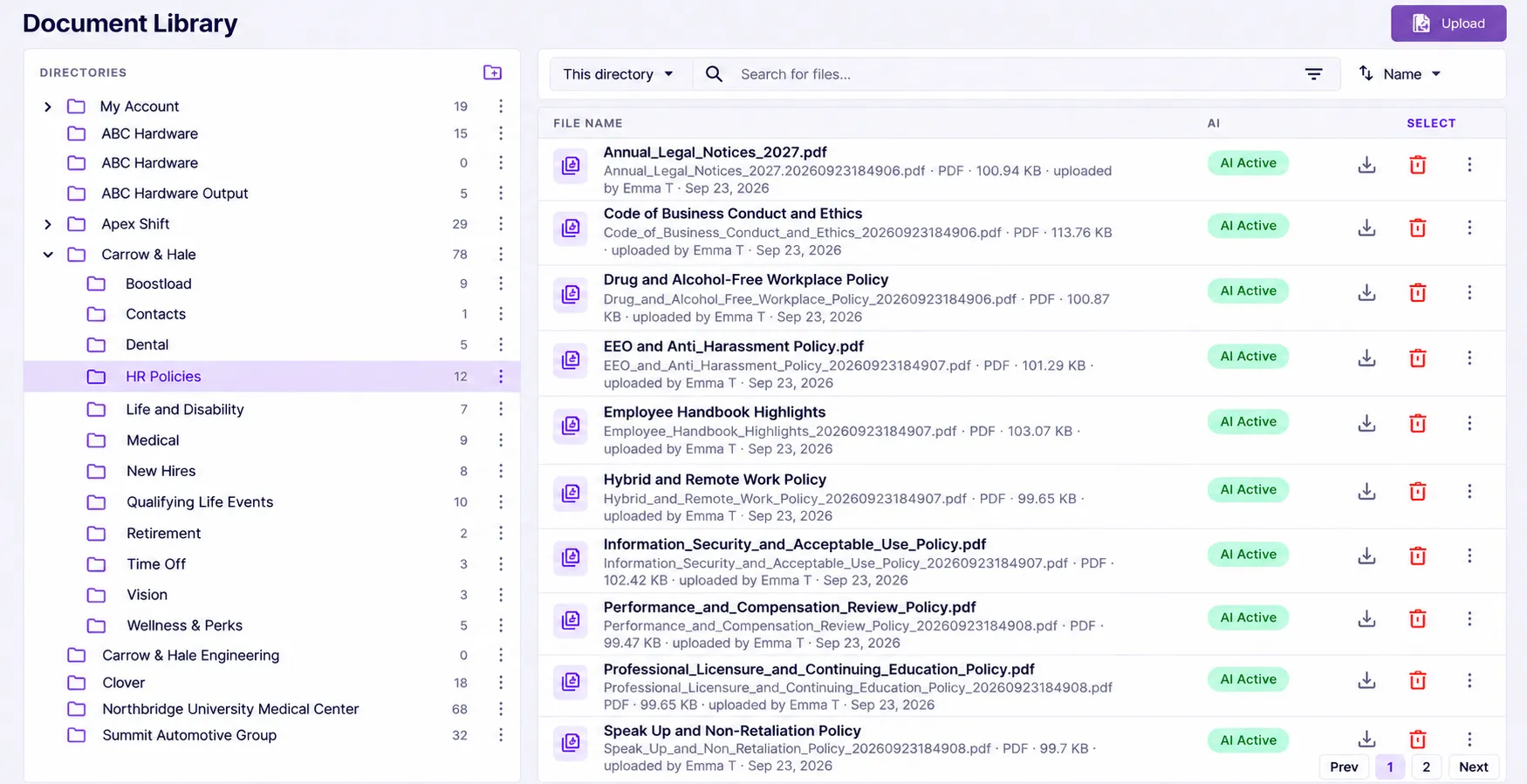
03 · Care for the sources
Organize plans and policies in folders. Find and upload files, and see which documents are marked AI Active. Maintain the approved information behind the experience.
When benefits change, update the source information and review representative Benny answers with your team.
04 · Look at how it’s being used
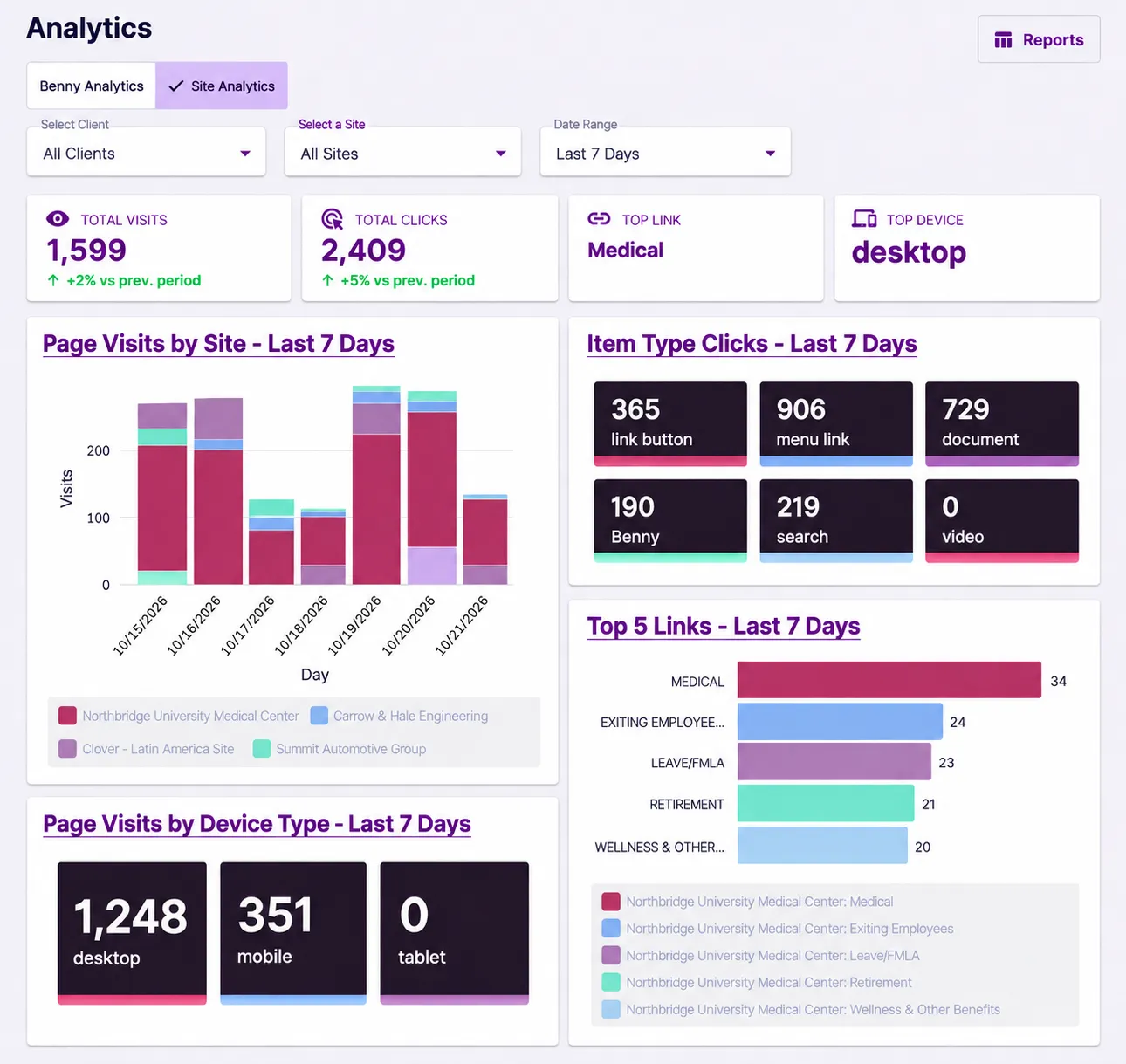
Choose a client, Site, and date range. Review visits, clicks, popular links, and the devices people use.
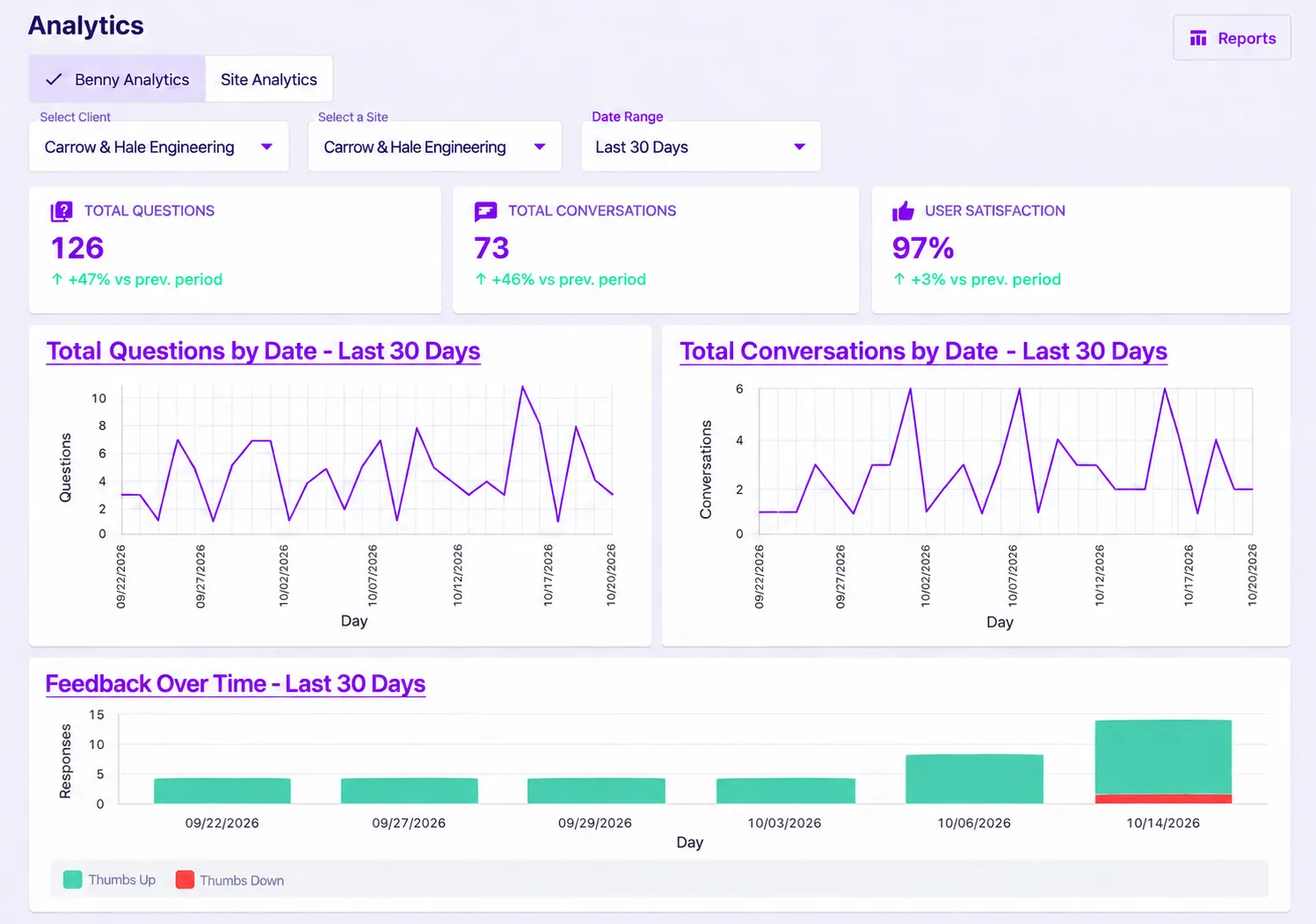
Screens show demonstration data. The figures illustrate the tools, not customer results.
05 · Keep learning from the conversation
Review question and conversation activity, then use the detail views to examine the prompts, responses, and feedback behind it.
See the prompts people submitted and the responses recorded with them.
Open the full response to read the explanation Benny gave. Your team can decide whether the source information needs attention.
Filter by thumbs up, thumbs down, or no rating. Use the feedback and your own review to guide improvements.
Your team, with ours alongside
Our experts help build the experience and train your team on everyday administration. Bring us in when a change, a new communication, or a closer review would benefit from a hand.
Meet your SwellSpace expertsYour Benefits. Give them a Voice.
Let’s walk through your next update together.
Book a demo