Topics & Lessons
Document Library
The SwellSpace Document Library is your central hub for storing, organizing, and managing all your benefits documents and supporting materials. Designed to keep everything connected, organized, and easy to access, the library allows you to create folders within folders and quickly find the documents you need.
Whether you’re maintaining benefits documents, policy files, or other important materials, the Document Library keeps everything in one place while giving you flexibility to use documents across your site.

Adding Documents to Your Site
When adding a document to your site, you can select it directly from your Document Library.

Deleting Documents
The Document Library has different behaviors depending on where you delete a document:
- Deleting from the Library: Removes the document from the library and all pages on your site where it is used.
- Deleting from a Page on Your Site: Removes it from that page only, leaving the document safely in the library for use elsewhere.
Organizing Your Library
The library allows you to create an intuitive folder structure to keep documents organized.
- Create folders and subfolders to categorize your files.
- Move or copy documents between folders without breaking links to your site.
- Use descriptive names for both folders and documents to make searching simple.
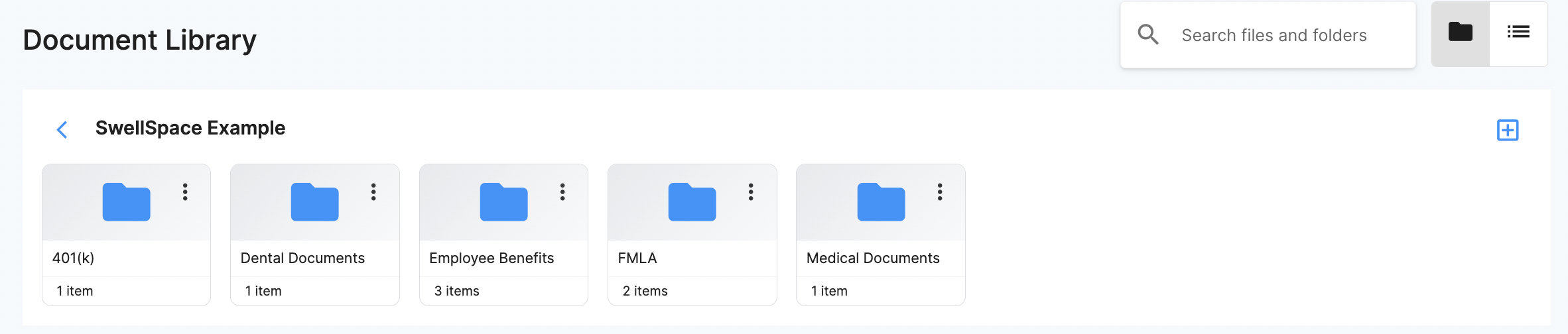
This structure ensures your documents are easy to find, manage, and use across multiple pages or sites.