Topics & Lessons
Quick Start
Video Tutorials
Layout & Design
Content & Media
Publishing & Sharing
Security & Privacy
Website Analytics
Account & Billing
Adding & Removing A Menu Item
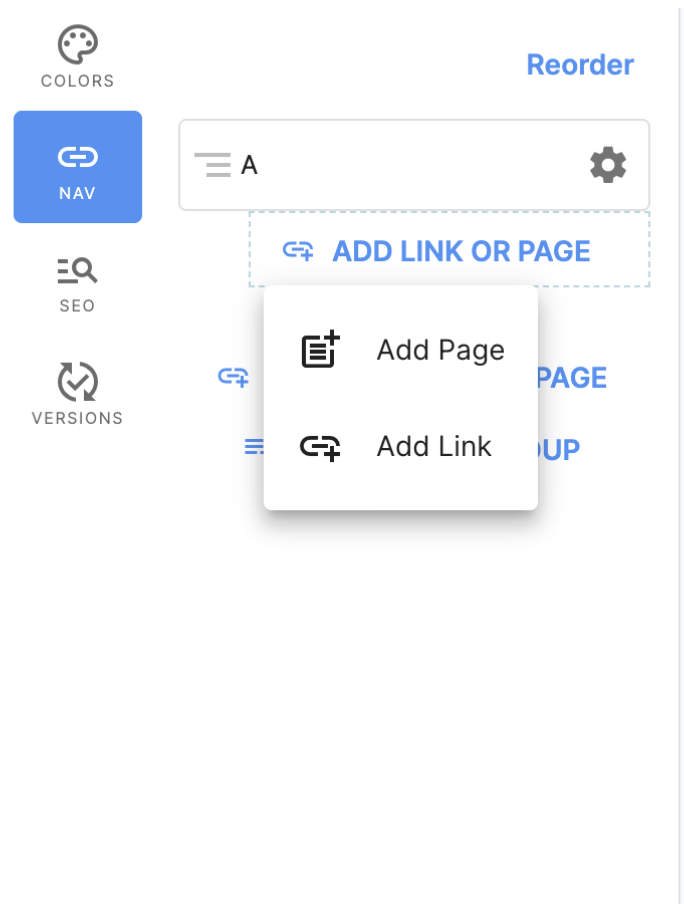
To add a menu group, first go into edit mode. Then, find the “Nav” icon and click “Add a Menu Group”. (To learn how to start editing an already published site, click here).

Once you click on “Add a Menu Group”, you can type in the desired name of the group. Remember to click "Save Menu Group" when finished.

You will then be able to add a page or link underneath the menu group you created.
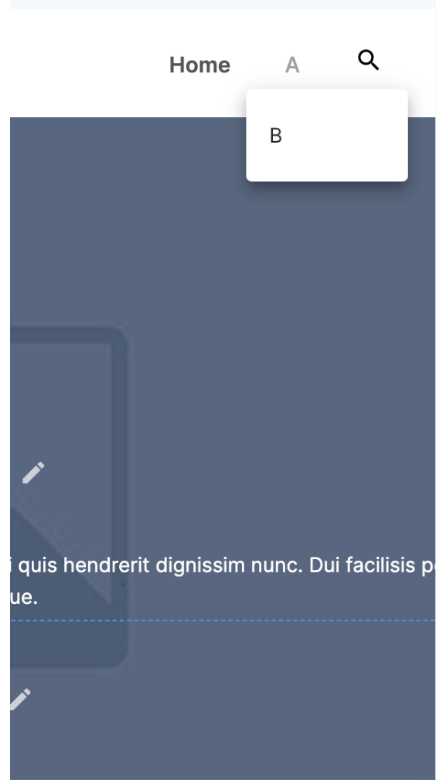
Users will be able to see the menu group, and when it is clicked on they will be able to see the dropdown that leads to a new page or url link.
To delete a menu group, you first need to delete the submenus that are underneath it. Simply click the settings icon of the menu group you want to delete, and then the red trashcan in the top right corner.
Didn't find what you're looking for?
Give Us Feedback
Have an idea for a great new SwellSpace feature? Want to tell us about your experience using SwellSpace? Click the button below to send us your thoughts.
Contact SwellSpace Support
Need help? Please describe your question, issue, or concern and a SwellSpace support representative will provide assistance.